Microsoft unveils distraction-free Windows for developers, but anyone can replicate it
Microsoft's Project Zenith
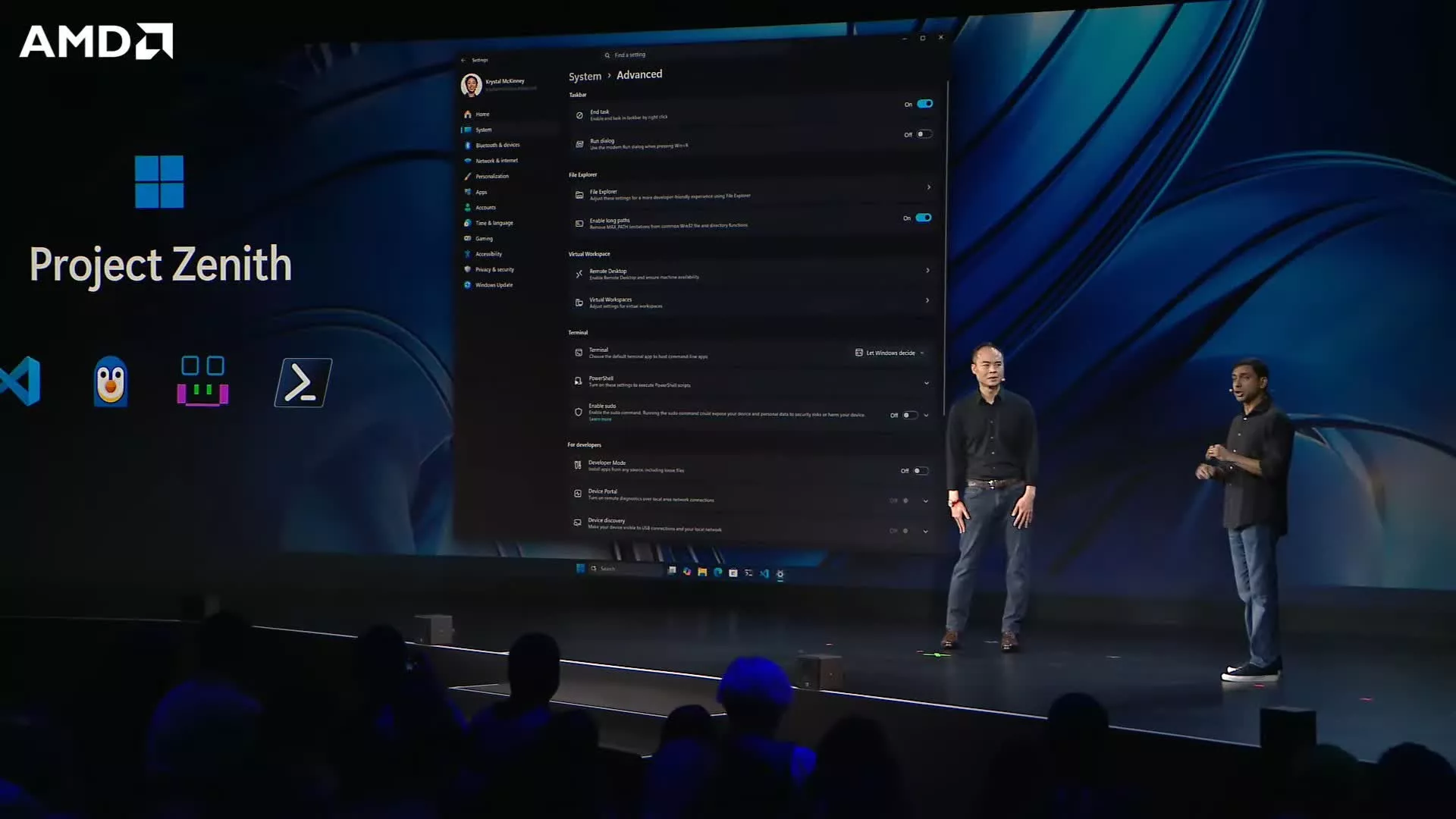
As part of its push to promote AI-driven development, Microsoft and its hardware partners will begin selling high-end PCs with a clutter-free version of Windows later this year. However, instead of a separate Windows SKU, the machines will ship with pre-configured developer-friendly settings for Windows 11 Pro.
The big picture
Windows critics have long complained about the operating system's bloated default software stack and its steady stream of notifications. Microsoft seems to be acknowledging the issue to stay popular with developers, but its response has been to sell workstations with a pre-installed Windows experience that any Windows user can technically already try for free.
What comes with Project Zenith
Called Project Zenith, the configuration comes with tools such as Visual Studio Code, GitHub Copilot, PowerToys, WinAppCLI, and Windows Dev Skills pre-installed. It also changes certain Windows settings to reduce distractions. For example, File Explorer will show hidden files, file extensions, the details pane, and full file paths by default, with long-path support enabled and recently used files and sync tips disabled. Project Zenith also turns off Start menu tips and account notifications, and enables Command Palette in Start and Search.
Although many ordinary users would welcome a distraction-free version of Windows, Microsoft is clearly aiming Project Zenith toward programmers who want to write code using local AI agents, as Project Zenith devices must include at least 64GB of unified memory and 250 GB/s of memory bandwidth to run 30-billion-parameter AI models. AMD Ryzen AI Halo devices will be the first to ship with Zenith, with others built on different chipsets expected to follow in the coming months.
Anyone can replicate it
You may want to know also that Microsoft already provides an open-source script called Windows Developer Config to create a similar configuration on any Windows 11 PC. As Windows Latest points out, users can already change the interface settings to resemble Zenith or manually install its AI coding toolchain, or let Windows Developer Config handle the configuration automatically.
A broader Windows shift
Some might view Project Zenith as an admission that Windows 11 features related to notifications, OneDrive, and the Microsoft Edge browser have annoyed users. While the company is positioning the project as an alternate configuration to discourage developers from drifting toward Linux and macOS, Microsoft has also shifted the development focus of the standard Windows 11 experience over recent months. Although the company is still trying to turn Windows into an agentic OS, recent updates have primarily focused on enhancing performance and quality of life.
Comments
No comments yet. Start the discussion.