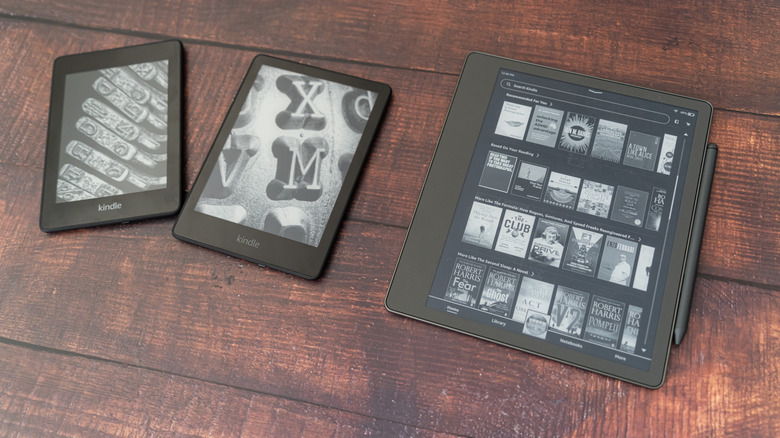
Don't throw away your old Kindle - repurpose it instead
You can probably still read on it, and, with some finessing, you can turn it into a useful display.
We may receive a commission on purchases made from links.
Earlier this year, Amazon announced it would be ending software support for older models of Kindle products, much to the dismay of longtime users. Meanwhile, others criticized Amazon for contributing to the global e-waste problem by encouraging customers to upgrade from their functional devices to new models.
But starting May 20, the company officially ended support for any Kindle device released before 2013 - meaning customers who had been holding on to their ereaders for more than a decade were now unable to buy, borrow, or download new books on them.
But this doesn't mean you necessarily need to get rid of your trusty ereader, even if it is one of the affected models. There are ways to maintain your existing library, load new ebooks through alternative methods or completely rework the device by hacking the display for novel uses.
So what should you do with an old, outdated Kindle? Here are some options that do not involve throwing it away.
Is my old Kindle obsolete?
The Kindle first debuted in 2007, and Amazon has since released dozens of models of tablets with paper-like screens for reading books and other media. As of this year, devices that came out in 2012 or earlier are no longer supported by Amazon.
Affected models include:
- the very first Kindle
- Kindle 2
- Kindle DX
- Kindle Keyboard
- Kindle 4
- Kindle Touch
- Kindle 5
- the first version of the Kindle Paperwhite
At the time of the announcement, Amazon told Engadget the decision affected only about 3 percent of its active users and cited updates in technology for making the change. "These models have been supported for at least 14 years - some as long as 18 years - but technology has come a long way in that time," the company said.
So, will a 14-year-old Kindle still work? Yes, technically your device won't immediately be bricked. You can continue reading books you have already downloaded, as long as you remain logged in. Don't deregister or reset the device, or you will be locked out.
Meanwhile, your Amazon account and Kindle library remain fully accessible on other devices and apps, including mobile Kindle apps, the desktop version of Kindle and its web browser counterpart.
Devices from 2013 and later, including recent Kindle Paperwhite models, the seventh to twelfth generations of the entry-level Kindle and premium devices like Kindle Voyage (released in 2014) will still be able to download new purchased or borrowed content as usual.
Can I still read with my outdated Kindle?
Although older models will now be unable to download new purchased or borrowed books, that doesn't mean you can't read anymore on a pre-2013 device. If you want to keep your outdated Kindle for reading, you can certainly continue using it and loading it with new content, despite lacking software support.
The easiest way to do this is by sideloading - using a USB data cable to directly import files rather than Amazon's "Send to Kindle" feature, which loads content virtually via email or app transfer.
To do this, first, download Calibre to your computer. This open-source tool is designed for formatting and transferring ebooks between devices. It also allows you to send personal documents and other PDFs to Kindles.
As a side note, many books are available for free as PDFs on internet repositories like the Internet Archive's Open Library and Project Gutenberg. Be sure to keep a backup of PDFs on your computer in case you lose access to files on your Kindle device.
What else to do with an obsolete Kindle?
Perhaps you've updated to a new ereader, but still want to find a use for your old Kindle. There are a number of relatively easy hacks to repurpose a Kindle. Its display uses power very slowly, so it can last a long time on a charge, making it a great option for electronic clocks, calendars and other dashboards.
To do that, you'll need to set up an external home server with a micro computer like a Raspberry Pi. Set it to run a companion script, which you can download for free on GitHub, to format your data into a simple grayscale image. Your Kindle then automatically wakes up on a timer, downloads that fresh image over Wi-Fi, and displays it.
If, despite all these options, you still want to get rid of your old device, don't forget to wipe it clean before doing so. To do that, perform a factory reset by going to Settings, and Reset to Factory Defaults.
You can then check local options for e-waste disposal to get rid of it, or ship it back to Amazon. And if you're looking to get something new to replace it, Amazon offers 20 percent off to people affected by the recent changes to software support. If you want to ditch Amazon entirely, you can consider a number of ereader alternatives from companies like Boox and Kobo.
Comments
No comments yet. Start the discussion.