The Evil MSI Background is Back!, (Fri, Jun 5th)
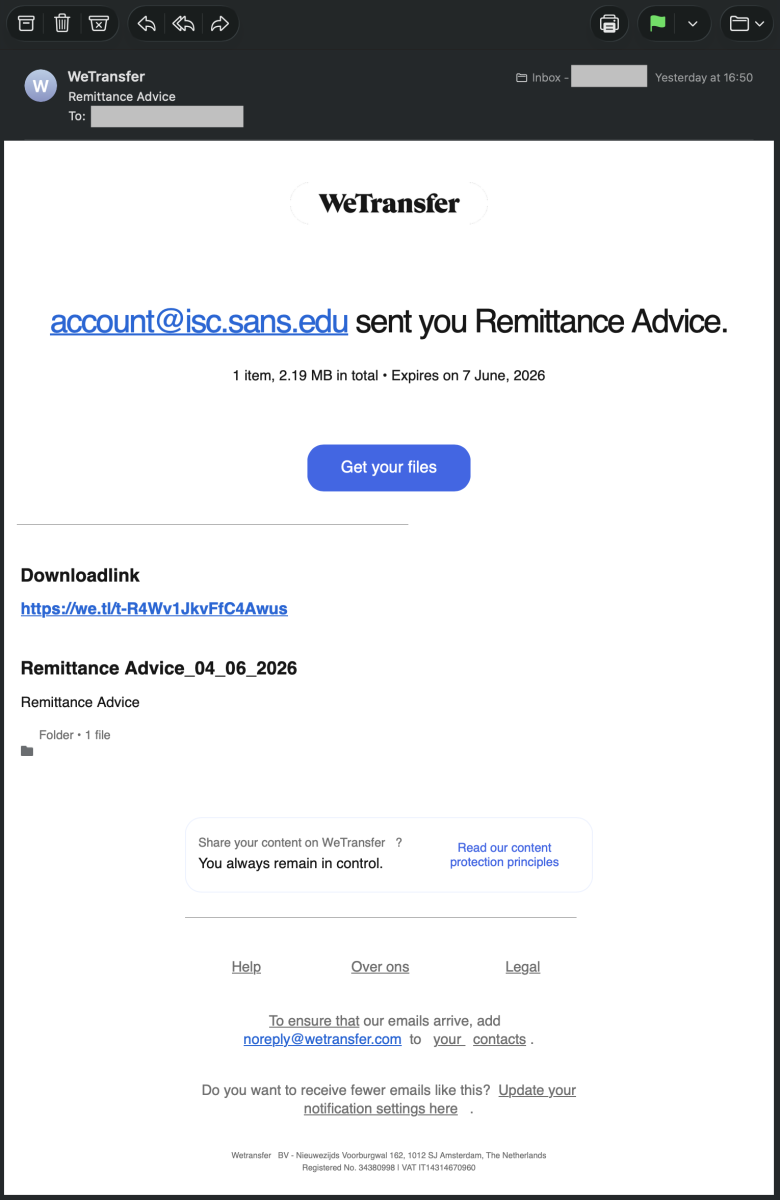
A few months ago, I wrote a diary about a payload that was embedded into a JPEG picture. It was a MSI-branded background[1]. Yesterday, I spotted another one! It seems that the technic is getting more and more popular. This time, it started with a mail containing a WeTransfer link.
The Evil MSI Background is Back! A few months ago, I wrote a diary about a payload that was embedded into a JPEG picture. It was a MSI-branded background[1]. Yesterday, I spotted another one! It seems that the technic is getting more and more popular. This time, it started with a mail containing a WeTransfer link. Often, the WeTransfer brand is abused in phishing emails. Here, it's was an official link: hxxps://we[.]tl/t-R4Wv1JkvFfC4Awus The thread-actor shared the initial file via this platform. The file is a piece of Javascript called "Remittance Advice.js" (SHA256:8a83de81fbac4eb0961f3d58982f299664a5fa4c874c7469e69f85f3fc5bd33f). The contains a lot of junk code that will just do nothing: Every for-loop will just move to the next line. In the middle of the file (>2MB), we have the interesting code that will perform the following tasks: It will decode the next payload in an environment variable: [Environment]::SetEnvironmentVariable("INTERNAL_DB_CACHE", ) The obfuscation technique used is ROT13, old but still very efficient: cbjrefuryy.rkr -RkrphgvbaCbyvpl Olcnff -AbCebsvyr -JvaqbjFglyr Uvqqra -Pbzznaq Decoded, it becomes: powershell.exe -ExecutionPolicy Bypass -NoProfile -WindowStyle Hidden -Command PowerShell is executed throug WMI: - winmgmts:root\cimv2: connect to WMI - Win32_ProcessStartup: configure process startup (hidden window) - Win32_Process.Create(): spawn the process The full command is: powershell.exe -ExecutionPolicy Bypass -NoProfile -WindowStyle Hidden -Command [ScriptBlock]::Create(${env:INTERNAL_DB_CACHE}) This code will fetch an MSI background JPEG file from this location: hxxp://icy-lab-0431[.]guilherme-telecomunicacoes2024[.]workers[.]dev/mCSlB Note that the threat-actor likes to use well-known services to store his/her payloads. workers.dev is the default, free subdomain provided by Cloudflare for deploying serverless applications[2]. The technique to hide the next payload is the same as my previous diary. The Base64-encode payload is delimited here with "IN-" and "-in1". To defeat simple Base64 lookups, all "A" characters have been replaced by "#". Once decoded, the payload is a .Net DLL (SHA256:184a3008adff54cb345a599b4f3ca0c7bde29d8ac8379783ff40cd4e7ecc931b). It's a modified version of the Microsoft.Win32.TaskScheduler, an open-source .NET library for managing Windows Task Scheduler[3]. The PowerShell payload will also fetch another file that will be passed to the loaded malicious DLL: hxxps://pub-a06eb79f0ebe4a6999bcc71a2227d8e3[.]r2[.]dev/snake.png Here again, a legit online service is used. r2.dev is the default domain used by Cloudflare R2 to serve files and assets stored in public cloud-native buckets. It is a globally distributed, S3-compatible object storage service that allows developers to store large amounts of unstructured data[4]. The file looks to be another background and contains probably another payload protected by steganograpy (very common with the .Net loaders): I'm now reversing the .Net loader. Stay tuned for more details soon! [1] https://isc.sans.edu/diary/Malicious+Script+Delivering+More+Maliciousness/32682 [2] https://developers.cloudflare.com/workers/ [3] https://github.com/dahall/taskscheduler [4] https://developers.cloudflare.com/r2/buckets/public-buckets/ Xavier Mertens (@xme) Xameco Senior ISC Handler - Freelance Cyber Security Consultant PGP Key Comments
Comments
No comments yet. Start the discussion.