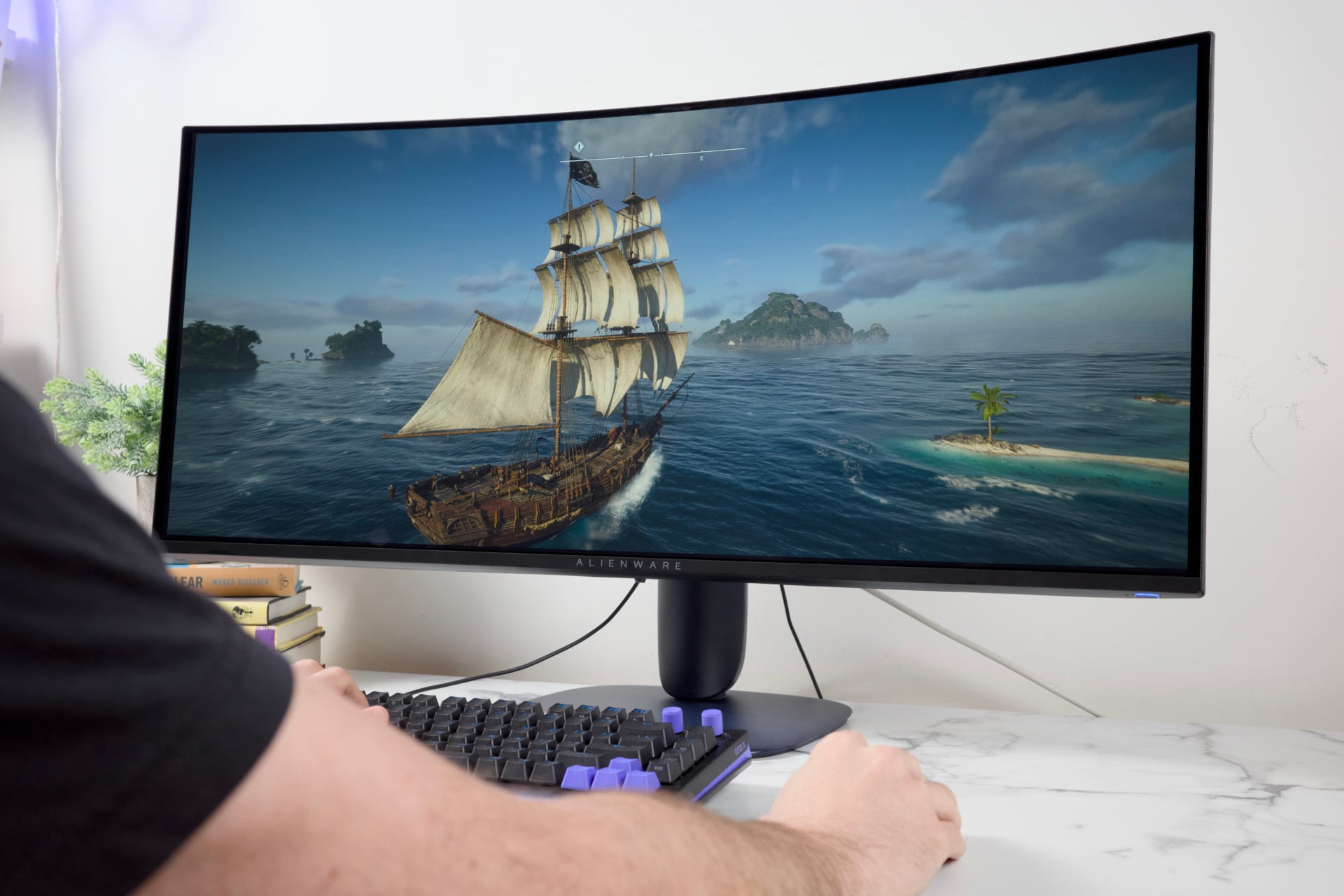
Alienware AW3426DW Review: Gaming Monitors Get Thrown a Curveball
Design and Build
Alienware changed up its design aesthetic for its monitors starting last year. The most recent “AW30” look is centered around deep purple plastic that doesn’t do much to help the screen stand out in a dark room. It’s especially subdued if you still remember the obscene Alienware designs of decades past. Last year’s AW2725Q, a more straightforward-and more expensive-27-inch 4K QD-OLED gaming monitor, didn’t stand out too much, either.
The base connects to an ovular stand that almost gives the appearance that the monitor is propped up by some impossible-dare I say, alien-architecture, but in reality it’s just a low-profile base made of cheap-feeling plastic. It blends into the background. I imagine that’s what some gamers want, just not me.
While you expect an Alienware monitor to be suffused with RGB lights, the AW3426DW is far more subdued than that. Rather than add any rear-facing glow to blow up your walls with rainbow-puke effects, the monitor sports a single RGB fixture in a small Alienware logo located on the back panel. The rest of the panel is surrounded with puncture holes for the monitor’s rear heat exhaust. It’s an efficient piece of gaming gear, but it doesn’t do much else to sell itself.
The best aspect about this design is just how easy it is to put together. As soon as you open the box, you’re greeted with the base and monitor arm that screw in together. Under that cardboard layer is the screen itself. All you need to do is slot the stand into the rear panel, hear the click, and voilà, you’re done. There are no separate screws or Allen keys required. It’s that excellent connection design that gives this monitor an edge over the more nuts-and-bolts-type displays.
Still, all that thin plastic makes this monitor seem cheaper than it is. It’s not a device you’re forced to fondle, so it’s easier to accept Alienware’s use of cheaper materials. The display also lacks any speaker or a headphone jack, so this monitor is purely a visual feast and nothing more. I came off reviewing the Lenovo Legion Pro 27UD-10 with its striking, though subdued, look, and that 27-inch monitor felt more premium and still supported a 4K resolution for around the same price.
Ports and Features
As for ports, Alienware’s 1440p curved screen offers just enough bang for your buck-though only just. It supports two HDMI ports and a single DisplayPort 1.4. There’s no DisplayPort over USB-C, unfortunately. The monitor does include an Ethernet port on the back panel as well as a USB-A and USB-C slot just underneath the screen. You can use those ports for passthrough charging a controller or another peripheral.
Up on your desk, the dominating 34-inch size has the wingspan to keep your attention, while the gentle 1,800R curve doesn’t make you feel claustrophobic, like you’re surrounded by a screen. The monitor has an even swivel, from -20 degrees to 20 degrees, so you can get a good look at the AW3426DW no matter where you sit at your desk. It also has a sizable tilt range from -5 degrees up to 21 degrees. Finally, you can adjust the monitor a full 110mm, or 4.3 inches. It’s not the full range of that aforementioned Lenovo Legion Pro, but it’s enough for most use cases. It’s far better than the 34-inch flat-panel Asus ROG Swift OLED I reviewed earlier this year. At least Alienware’s monitor takes up less physical desk space without a giant tripod stand.
The Alienware ultrawide monitor also supports a “PIP” mode with a bevy of options for how you can position and orient two of the three possible display inputs to the monitor (either two HDMI or an HDMI plus DisplayPort). Will you use this feature much? Probably not, considering that even a corner of a 34-inch screen takes up more screen space than you expect. You can leave most of the screens’ other settings alone, though if you need a faux crosshair in the center of your screen, you don’t have to dig too far to find it.
There’s an additional “Esports” mode that essentially eliminates the ultrawide experience by placing the picture in the center of the display. You may actually want to pay attention to this setting if you game on consoles. While the Xbox Series X and PS5 technically support the ultrawide 1440p resolution of the AW3426DW, it will only appear in a stretched format. Each console can only output at a 16:9 aspect ratio without a native 21:9 option. Remember that Alienware AW3225QF I mentioned at the top of this review? That monitor is taller and supports the 16:9 aspect ratio. Using a console for an ultrawide experience will necessarily make your games look ugly. The Esports mode fixes this, but it also limits the screen size to a measly 24.5-inch window and sets the resolution to 1080p (which is how most Esports gamers prefer to play).
Gaming Performance
This is not the largest ultrawide display I’ve sat on my desk recently. Last year, I propped up Samsung’s Odyssey G75F, a 40-inch 4K LCD ultrawide monitor in the same spot of our office. That’s not even the largest available, with monitors like the Odyssey G9 and the monstrous 52-inch LG UltraGear 5K display. With even more screen real estate, you can make better use of features like picture-in-picture mode, where you can have multiple video outputs running on the monitor at one time. With a 34-inch display, you don’t have quite as much space to work with.
In the end, this variety of ultrawide monitors is better used for PC gaming. Still, at its best, this monitor is a looker, so long as the game supports that wide field of view.
The games I played on Alienware’s 1440p ultrawide, from major titles like Cyberpunk 2077 to indies like Pathfinder: Wrath of the Righteous, looked all the more crisp and gorgeous thanks to the monitor’s excellent contrast. That touted 280Hz refresh rate is not something most gamers will come anywhere close to hitting, not unless you game at a lower resolution and drop graphics settings for the sake of frame rates. That being said, the monitor supports all standardized forms of variable refresh rate, or VRR. That includes AMD FreeSync, Nvidia G-Sync, and VESA AdaptiveSync. There wasn’t a moment in the hours I spent with this monitor that I experienced any issues like screen tearing.
The monitor has a total pixel density of about 110 PPI (pixels per inch). That’s about what you can expect from a 1440p monitor. I wasn’t spending my time pining for the higher pixel density of a 4K display, though the lack of visual fidelity is more evident in some more graphically complex games. If you’re spending $800 on a monitor, you would want the best quality you can possibly get. The Alienware is no slouch, but you can find QD-OLED flat-panel monitors that cost just as much as the AW3426DW.
Display Technology
You’ve heard the term “QD-OLED,” but I have to assume a few of you reading this don’t know what the hell that means. Essentially, an organic light-emitting diode panel uses thousands of self-emissive lights capable of displaying red, green, and blue light. Without a backlight, OLED is technically capable of near-infinite contrast, so long as it can push the brightness of those lights-hence those oft-described “inky” blacks. The “QD” in the name stands for quantum dots, which are yet another layer of semiconductor nanocrystals built to enhance the colors you see on screen.
But QD-OLED is so 2024. The new hotness is a slurry of jargon, technobabble, and alphabet-soup acronyms that all essentially relate to a higher brightness spec for OLED. This monitor uses “Penta Tandem” technology, which, in essence, is five layers of OLED panels overlaid to offer a higher base brightness than what you typically get from this screen type. The monitor sits at about 300 nits of typical brightness. That’s a relatively low SDR brightness for such an expensive display, but on the flip side, it can sit at a peak of 1,300 nits in HDR. This monitor is certified VESA DisplayHDR True Black 500, which essentially means it can hit that 500-nit brightness value in HDR content.
But that’s not all. Alienware’s monitor also uses new RGB Stripe technology. That means it employs a layer of red, green, and blue subpixels arranged in a linear strip. All that matters to the end user is that it eliminates the fuzziness surrounding text you would sometimes notice on lower-end OLED monitors.
All this combines into what’s simply a very beautiful picture.
Ultrawide Considerations
Inevitably, using an ultrawide monitor will feel like a luxury until it isn’t. There are some games that claim to support the 3,440 x 1,440 resolution, but that’s only because they crop the image to a 16:9 aspect ratio. If I wanted to play Persona 3 Reload or Zero Parades: For Dead Spies, I’m essentially playing a game with the sides cut off, shrinking my 34-inch display to two-thirds of what the screen is capable of. That’s the problem with any 21:9 monitor. It just feels worse if you spend $800 for the privilege of not using most of your screen.
But here’s the thing: When you do get to sit in front of a game spread out before you, it can create an intense feeling of joy. Most gamers may be better off finding a similar monitor that supports the taller field of view. Those who know what they’re getting can bask in the joys of this big, bright display.
Alienware AW3426DW Gaming Monitor
If you enjoy bright screens, and if you enjoy ultrawide monitors, the Alienware AW3426DW doesn't disappoint.
Pros
- One bright, pretty screen
- Easy setup
- Just enough ports
- Wide tilt and swivel options
Cons
- Plasticky base
- Low SDR brightness
- 21:9 aspect ratio will limit some games
- Not great for consoles
Comments
Bad for consoles == bad for me. Also, I'd hate to deal w/ curved tracks in [video|audio] editor.