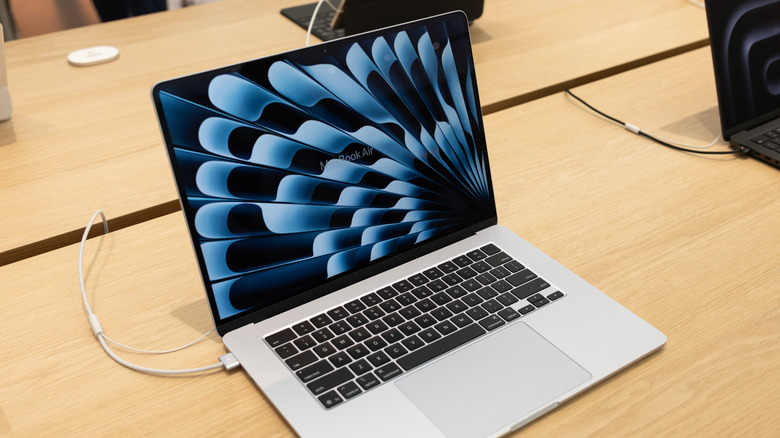
The reason why the MacBook Air doesn't need a fan
Apple Silicon delivers enough performance without overheating. Apple decided to ditch fans in the MacBook Air several years ago. The company made this significant hardware switch-up when it replaced Intel processors with its own silicon, starting with the M1 MacBook Air in late 2020.
The main reason Apple was able to drop active cooling from its thinnest portable Macs? That's down to the Apple M-series CPUs in recent models being much more power-efficient and performant than the Intel chips found in pre-2020 editions of the Air. By using a passive heat spreader that dissipates heat through the case, newer MacBook Air models run silently without the need for a fan. There are some potential performance drawbacks to be aware of, though.
Which MacBook Air models have no fans?
The last MacBook Air that had a cooling fan was the early 2020 model that featured an Intel chipset. Since the MacBook Air M1 launched in November 2020, all subsequent models have been fanless. A major reason Apple was able to drop fans from the Air is thanks to the addition of its own silicon. The Apple M-series chips the iconic Cupertino company now uses in its slimmest notebooks are more power-efficient than the Intel processors in older models.
But how can more recent Air models regulate their temperatures without active fan cooling? That's down to some clever engineering on Apple's part. Newer editions like the superb MacBook Air M5 deploy a passive heat spreader that transfers (and subsequently, dissipates) heat through the aluminum case. In turn, this allows the M5 Air (and all M-series MacBook Air models) to run in total silence for everyday computing tasks.
What are the pros and cons of the MacBook Air being fanless?
First up, the pros of dropping fans from the MacBook Air.
- The big one is obviously a complete absence of fan noise. If you've ever owned a powerful gaming laptop, you'll know how hugely distracting constantly whirring fans can be. With newer MacBook Air models, you're guaranteed a whisper-quiet experience even when your machine is under heavy load.
- No fan means the MacBook Air is lighter, too. Just compare and contrast that last Intel model with a fan to the MacBook Air M2. The 2020 Air weighs in at 2.8 lbs, while the latter tips the scales at 2.7 lbs.
- With the fans now jettisoned, Apple has also been able to boost the battery life of the last few iterations of the Air. Though laptop fans don't traditionally consume a ton of power, dropping them has slightly improved battery performance.
As for the cons, the most significant downside revolves around thermal throttling.
- If you're a high-end laptop user, the MacBook Air often isn't an ideal choice. That's partly down to thermal throttling, a process whereby macOS down clocks processor speeds to keep temperatures to reasonable levels when the CPU is under heavy load. By reducing processor speeds, performance subsequently drops. In real-world terms this will manifest as longer video exports or dropped frames when playing games.
- Without fans, the MacBook Air can also run noticeably warmer than older models, with the likes of the M5 Air often feeling particularly toasty on its underside during heavy loads.
When does buying a MacBook Pro make more sense?
For the vast majority of folks, a MacBook Air will handle all of their computing needs in stylish, silent fashion. Balancing performance versus price to a tee, the MacBook Air M5 is currently the best MacBook in our... er, book.
If you're a prosumer video editor who regularly exports large 4K files, for example, you might want to consider a MacBook Pro. You're more likely to avoid thermal throttling at 100 percent load thanks to the Pro's active cooling. It's not just superior thermals where the Pro has a considerable edge over the fanless Air.
- Demanding creatives will appreciate its superior screen - the M5 Air has a standard LCD Liquid Retina 60Hz display, while the M5 Pro benefits from a brighter Mini-LED 120Hz panel.
- The Pro also has a superior selection of ports compared to the Air, sporting a trio of Thunderbolt connections (the M5 Air has two), an HDMI port and a SDXC card slot.
Of course, the base Macbook Pro M5 only makes more sense than the latest Air if you've got a sizeable budget. Starting at an eye-watering $1,99 for the 14-inch model, you'll need to cough up a serious chunk of change to appreciate the upgrades the Pro brings to the party. While the M5 Air is hardly cheap with a new starting price of $1,299 for the 13-inch version, that extra $700 for the MacBook Pro probably isn't worth it if you're an average every day user.
Comments
No comments yet. Start the discussion.