
Everything as Code: When Your Tasks Become Markdown You Can Commit to Git
The Frontmatter: Structured Metadata
The frontmatter is the task's structured metadata: title, status, tags, deadline, assignee, links - the 20% of fields that cover 80% of cases are all first-class, and all queryable.
The body below the frontmatter is the task's canonical document (the Single Source of Truth): a living piece of Markdown. No proprietary format. No binary blob to export. No vendor lock-in. What you see is all there is.
apply, Just Like kubectl
Save that Markdown to a file, then:
ud apply -f task.md
The rules are exactly like kubectl apply: no id in the frontmatter means create, an id means update. apply is a full replace - the file is the source of truth.
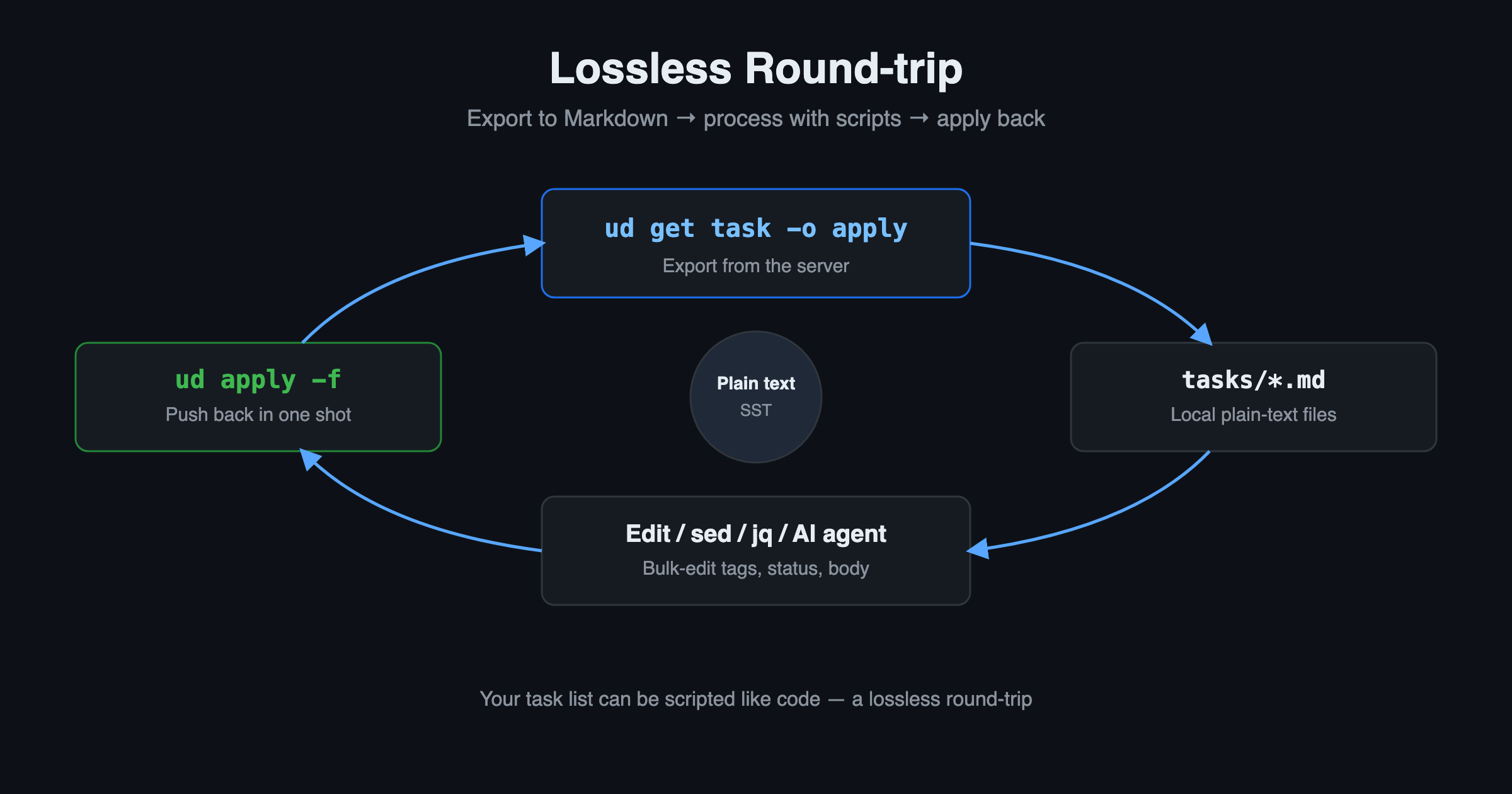
Want to export in bulk, edit, and push it all back? ud get task -o apply prints your tasks in the same format apply accepts - a lossless round-trip. That means your task list can be processed like code with sed / jq / any script, then applied back in one shot.
Why This Is a Superpower for Developers (and AI)
1. Version-controllable, GitOps-friendly. Tasks are plain text, so they naturally diff, live in Git, and go through PR review. Your project plan and your code can share the same commit history.
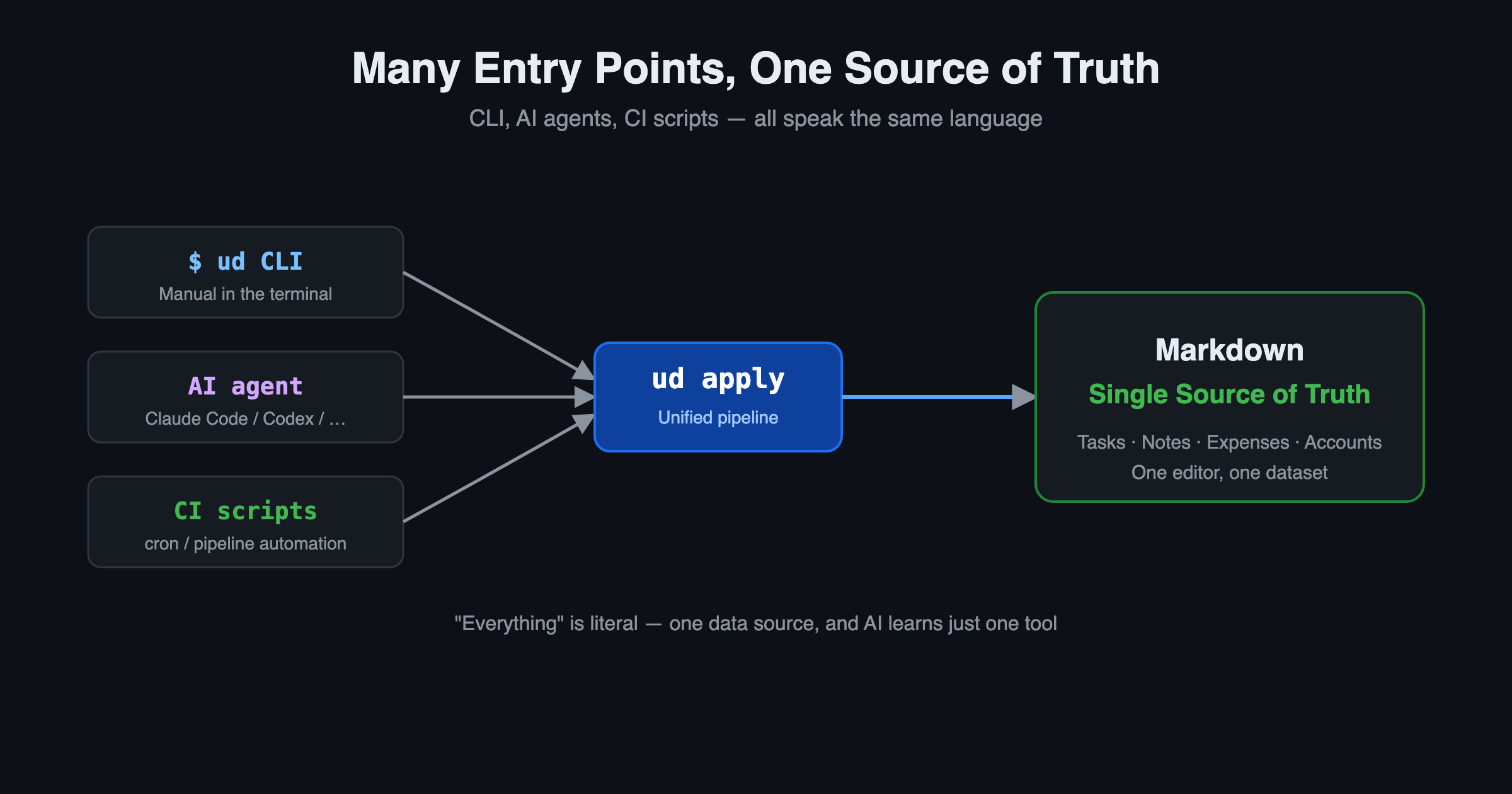
2. Native I/O for AI agents. Markdown is human-readable and AI-readable. Any terminal-based coding agent - Claude Code, Codex, OpenCode, or any agent that lives in your shell - can read and write your tasks directly through the ud CLI, with no special plugin or SDK. The whole knowledge base is plain-text-native and AI-ready.
Things an agent can do right in your terminal:
ud get task 'status = in-progress'
ud apply -f new-task.md
ud describe task 8b30140e
3. Scriptable and composable. A SQL-like query syntax plus kubectl-style verbs (get / describe / apply / delete / patch) turn task management into something you can drop into any automation. Create a task in CI, bulk-retag from a script, generate a weekly report from cron - each is just a few lines of shell.
Not Just Tasks
Here's a detail that's easy to miss: UnDercontrol's Markdown editor is not task-specific. It's a single editor shared across every text surface - tasks, notes, even expense and account memos all use the same editing experience and the same Markdown core.
So the "Everything" in "Everything as Code" is literal: your todos are Markdown, your notes are Markdown, the memo on an expense you logged is Markdown. One data source, organized the way you like, all in one place. No switching between apps, and an AI agent only has to learn a single tool to reach all of your information.
Three Content Layers
Each information unit has three layers. Each has a design intent, but you're free to use them however suits you:
| Layer | Format | Design Intent |
|---|---|---|
| Task body | Markdown | The canonical, evolving document - Single Source of Truth |
| Notes | Markdown | An append-only timeline - how this unit evolved |
| Comments | Plain text | Lightweight, threaded conversation - short and focused |
What distinguishes a "doc" from a "task" isn't the data structure - it's tags, metadata, and the view. UnDercontrol doesn't force a folder hierarchy or a tagging convention on you: the same task can appear on multiple boards (a board is a saved query, not a container, so there's no duplication).
Get Started
If you're tired of trapping your ideas inside a UI, try turning them into Markdown you can apply:
ud apply -f my-first-task.md
Everything as Code isn't just a slogan - it's how your tasks, your scripts, and your AI agents finally speak the same language.
Comments
No comments yet. Start the discussion.